WinCC SCADA: Which Version Is Right for Your Manufacturing Application?
If you have come across the term WinCC SCADA and are trying to understand what it actually refers to, the first thing worth knowing is that WinCC is not a single product. It is a family of products from Siemens that spans local machine-level operator interfaces through to enterprise-grade supervisory systems managing thousands of I/O points across multiple sites. This article will help you understand which part of the WinCC family applies to your SCADA application.
We will also cover what choosing and implementing the right WinCC SCADA platform actually involves in practice. The decision about which version to use and what implementation looks like should be connected from the start of a project.
The WinCC product family: where the confusion starts
The WinCC name covers four distinct products within TIA Portal, plus a separate enterprise platform that shares the WinCC name but is an entirely different system. Understanding the distinction matters because specifying the wrong product is a common source of unnecessary cost and project rework.
WinCC Basic and WinCC Comfort (HMI products, not SCADA)
WinCC Basic is bundled with certain Siemens CPU licences and is used to configure Basic Panels (the compact touchscreens mounted directly on machines). WinCC Comfort configures the full range of Siemens Comfort Panels, including higher-resolution displays with scripting and recipe management capability.
Neither of these are a SCADA product; both are local operator interfaces. They show the operator what the PLC knows and let them interact with it at that point in the plant. If your requirement is a single machine or a contained process area with one operator station, a Comfort Panel running WinCC Comfort is usually the right answer. Adding a full SCADA layer on top would be an unnecessary cost and an increase of complexity.
WinCC Advanced: the standard manufacturing SCADA platform
WinCC Advanced is where WinCC becomes a SCADA system in the proper sense. It runs on a standard Windows PC or server rather than a hardware panel, it can communicate with multiple PLCs simultaneously, and provides centralised visibility across a wider process or facility.
This is what most manufacturers mean when they say they need WinCC SCADA. It is the platform we most frequently see used on manufacturing projects (pharmaceutical, food, energy and industrial), and it is the product this article focuses on.
WinCC Advanced includes:
- Centralised process visualisation across multiple PLCs and process areas
- Data logging to SQL server with configurable retention and export
- Alarm management with timestamp, acknowledgement records, and frequency analysis
- Trending – historical and real-time process value display
- Reporting – configurable reports on demand or on schedule
- Web client capability – read-only or interactive access from standard browsers
- OPC-UA server and client for integration with non-Siemens hardware
The current release is SIMATIC WinCC V8, which is the version within TIA Portal V19 and beyond. If someone refers to SIMATIC WinCC V8 they are referring to WinCC Advanced (and the associated HMI products) within the current TIA Portal engineering environment.
WinCC Unified: the modern web-based platform
WinCC Unified is a newer platform built on a fundamentally different architecture. Where WinCC Advanced uses a traditional Windows client-server model, WinCC Unified uses a web-based runtime. Operators access it through a standard browser rather than a dedicated Windows client application.
This has practical implications for the user. WinCC Unified integrates more naturally with modern IT infrastructure. Remote access is simpler to configure and the runtime does not depend on Windows-specific client software on each operator workstation. For new projects where the client has a preference for web-based architecture, or where long-term scalability and IT manageability are priorities, WinCC Unified is worth specifying from the outset rather than retrofitting later.
WinCC Unified also runs on a dedicated hardware panel (the Unified Comfort Panel), which blurs the boundary between panel-level HMI and PC-based SCADA in a way that can be useful on projects where a hybrid approach makes sense.
For most current manufacturing projects in the UK, WinCC Advanced remains the more commonly specified platform. WinCC Unified is the direction of travel for new installations and is what we discuss with clients who are planning systems with a longer design horizon.

WinCC Open Architecture: a separate product for a different scale
WinCC Open Architecture, commonly referred to as WinCC OA, shares the WinCC name but is an entirely separate product with a separate heritage. It was originally developed as PVSS (acquired by Siemens) and positioned as an enterprise-grade SCADA platform for large-scale and critical infrastructure applications.
WinCC OA differs from WinCC Advanced in several important ways:
- It is not part of TIA Portal. It is a standalone platform with its own engineering environment.
- It runs on Windows and Linux, where WinCC Advanced is Windows only.
- It uses JavaScript and PARA scripting rather than VBScript and ANSI C.
- It is designed for architectures with hundreds or thousands of distributed I/O points, redundant server configurations, and multi-site deployments.
- It is used in energy utilities, large process plants, building automation at scale, and critical infrastructure environments (including CERN, which runs WinCC OA for monitoring across the particle accelerator facility).
For the majority of UK manufacturing SCADA projects, (for example a pharmaceutical manufacturer needing centralised visibility of a production suite, or a food manufacturer adding SCADA to an existing Siemens PLC installation), WinCC Advanced is the appropriate platform. WinCC OA becomes relevant when the application scale, the redundancy requirements, or the cross-platform infrastructure demand it.
The engineering expertise required for WinCC OA is different from WinCC Advanced, and the specialist channel is smaller. If a project calls for WinCC OA then that conversation should happen at the requirements stage, not after WinCC Advanced has been specified and the scope has been baselined.
When WinCC Advanced is the right answer: the decision criteria
Having established what each product is, the practical question is how to identify which one applies. For WinCC Advanced, the indicators are:
Multiple PLCs or process areas that operators need to view from a single point. A single HMI panel gives you visibility at one location. If your operators need a consolidated picture of several process areas, or if you need a central control room, a supervisory layer is the right architecture.
A requirement to log process data centrally and report on it. Whether the driver is regulatory (pharmaceutical batch records, audit trails) or operational (shift reports, OEE data, maintenance trending), centralised data logging is a supervisory function that individual HMI panels do not provide.
Alarm management across the plant rather than per machine. A single panel shows you its own alarms. A SCADA system gives you a consolidated alarm log across the facility with timestamps, acknowledgement records, and the ability to analyse alarm patterns over time.
Remote monitoring capability. Viewing process status from an office, a different building, or a different site. WinCC Advanced’s web client handles this without requiring additional infrastructure.
Regulated environment requirements. GAMP5 validation, 21 CFR Part 11 audit trails, electronic batch records, IQ/OQ/PQ documentation. These requirements place the WinCC application in scope for computer system validation. WinCC Advanced and Unified have the audit trail and data integrity functionality to support these requirements when correctly configured: but correctly configured is the key phrase.
What a WinCC SCADA implementation actually involves
Once the platform decision is made, the implementation follows a consistent structure regardless of the sector. Below is how we at Feed4ward would implement a basic SCADA application through WinCC:
Specification. Every WinCC project starts with defining what the system must do. For regulated environments this is a formal document (a Functional Design Specification or User Requirements Specification), signed off before engineering begins. For less regulated projects it is a detailed scope document. Either way, the content is the same: what the system shows, what it records, what alarms it raises, what operators can do, and what the system must not allow. Screen layout philosophy, alarm prioritisation strategy, data retention policy, and server architecture are all decisions that belong in the specification because they become increasingly difficult to change later.
Tag database and communications. WinCC communicates with PLCs via PROFINET using the S7 driver in a Siemens environment, or via OPC-UA where non-Siemens hardware is involved. The tag database is the list of every data point WinCC reads from and writes to the underlying controllers. This is built and tested at this stage. On a complex project this can run to several hundred tags, each of which needs to be defined, named consistently, and verified against the PLC programme.
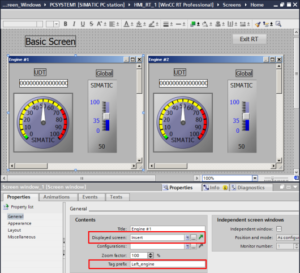
Process graphics. The operator screens. These are built in WinCC using a library of shapes, symbols and dynamic elements configured to reflect the real process and when the graphic quality matters operationally. An operator making a decision during a process alarm does so based on what is visible on screen. Cluttered or ambiguous graphics create errors. We design screens around operator workflow, not around what is easy to build.
Alarm and data configuration. Alarm priority structure, suppression logic, data logging intervals, trend configuration, and report templates are all configured at this stage. For pharmaceutical clients where alarm records form part of the process evidence, the alarm database structure is specified and reviewed before it is built.
Factory Acceptance Test. For systems with a formal FAT (which on regulated projects is a required validation stage), the client witnesses the system operating against a written test protocol in our workshop or on-site. Any deviations are resolved and the FAT report is signed before the system goes to site.
Commissioning and handover. Site installation, integration with the live plant, and Site Acceptance Testing where applicable. Operator familiarisation. Post-commissioning support.
WinCC SCADA in regulated manufacturing environments
For pharmaceutical, biotech and food manufacturers, a WinCC SCADA system that forms part of a GMP production process is a computerised system in scope for GAMP5 validation. The WinCC application, (the configuration, tag database, alarm settings, trend configuration, screen graphics), is classified as GAMP5 Category 5 software. It is custom-configured and requires formal validation.
This means the project has documentation requirements that run alongside the engineering rather than following it. Design Specification, Configuration Specification, test protocols, test reports, and a Validation Summary Report are not optional pieces of paperwork, they are the evidence that the system does what it is supposed to do and that it was built under controlled conditions.
The audit trail functionality within WinCC Advanced and Unified supports 21 CFR Part 11 requirements where applicable: electronic records with timestamps, operator identity attribution and reason capture for manual overrides. This capability exists in the platform but requires deliberate configuration, it does not arrive preconfigured.
As a Siemens Solution Partner we work within the Siemens engineering framework and the GAMP5 validation framework simultaneously. On regulated projects these are not separate tracks that run sequentially. The engineering decisions and the validation decisions inform each other from the requirements stage onward, and the lead engineer on the project needs to understand both.
Frequently asked questions
What is the difference between WinCC Advanced and WinCC Unified?
WinCC Advanced uses a traditional Windows client-server architecture where operators access the system through a dedicated Windows application. WinCC Unified uses a web-based runtime accessed through a standard browser, making it more compatible with modern IT infrastructure and easier to scale for remote access. Both are full SCADA platforms within TIA Portal. For new projects we discuss both options at the requirements stage and recommend based on the client’s IT environment and long-term plans.
What is the difference between WinCC SCADA and WinCC Open Architecture?
WinCC Advanced and Unified are part of the TIA Portal family and are the standard SCADA platforms for manufacturing applications. WinCC Open Architecture (WinCC OA) is a separate enterprise-grade SCADA system designed for large-scale and critical infrastructure applications, (utilities, large process plants, multi-site deployments). They share the WinCC name but are different products requiring different engineering expertise. For most UK manufacturing projects, WinCC Advanced is the appropriate platform.
What is SIMATIC WinCC V8?
SIMATIC WinCC V8 is the current release designation for the WinCC product family within TIA Portal V19. It encompasses WinCC Basic, Comfort, Advanced and Unified. When someone refers to SIMATIC WinCC V8 they are typically referring to WinCC Advanced or the broader TIA Portal engineering environment at its current version.
Does Feed4ward deliver GAMP5 validated WinCC systems?
Yes. We have delivered validated WinCC systems for manufacturing clients including full IQ/OQ/PQ documentation, Factory Acceptance Testing witnessed by the client, and audit trail configuration to support 21 CFR Part 11 requirements. Validation documentation runs alongside engineering on our projects, it is not a post-commissioning task.
Can WinCC SCADA communicate with non-Siemens PLCs?
Yes. WinCC communicates with Siemens PLCs via PROFINET using the native S7 driver. For non-Siemens hardware, OPC-UA is the standard interface and WinCC Advanced and Unified both support OPC-UA client and server functionality. Mixed-vendor PLC estates are common on older sites and are handled at the communications specification stage.
What is the typical timeline for a WinCC SCADA project?
Scope determines timeline more than anything else. A straightforward single-site WinCC Advanced system for a light industrial application could be delivered in 10 to 12 weeks from specification sign-off. A GAMP5 validated multi-vessel pharmaceutical system with full documentation is typically a 6 to 9 month programme depending on complexity and the client’s internal review and approval processes. We scope timelines at the requirements stage once we understand what the project actually involves.

Talking to us about your WinCC SCADA requirement
If you are at the point of defining a SCADA requirement, whether that is a new WinCC installation, a replacement of an existing system or an extension of an existing WinCC environment then an early conversation about scope and approach is always worthwhile. It costs nothing and helps to clarify the project significantly.
You will find more details about our SCADA capability on our previous post outlining when SCADA is the right architecture. Or get in touch directly at sales@feed4ward.com or call us on 02392 697599.
Author: Rhys Lewis – Feed4ward CEO